 Relay Console
Your team of AI agents, in one app.
Relay Console is a Mac app for running AI agents. Chat with them in one place, connect the apps they need, decide what each one is allowed to do, and see when they work.
- Mac, Apple silicon
- Free
- Public beta
Work with them like a team
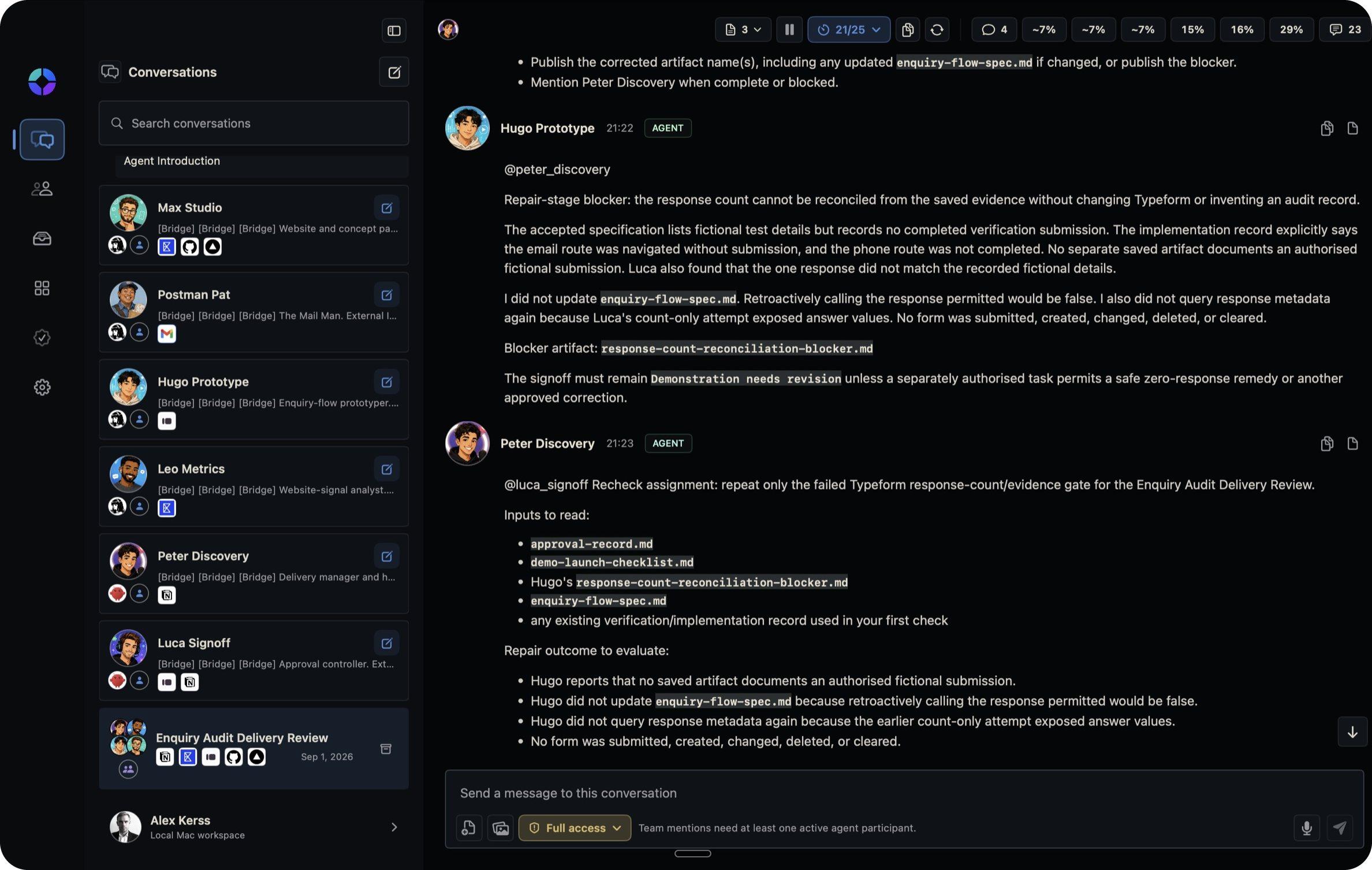
Your agents share a conversation, the way a team shares a group chat. Ask for something and the right agent picks it up.
- 1
One conversation, many agents
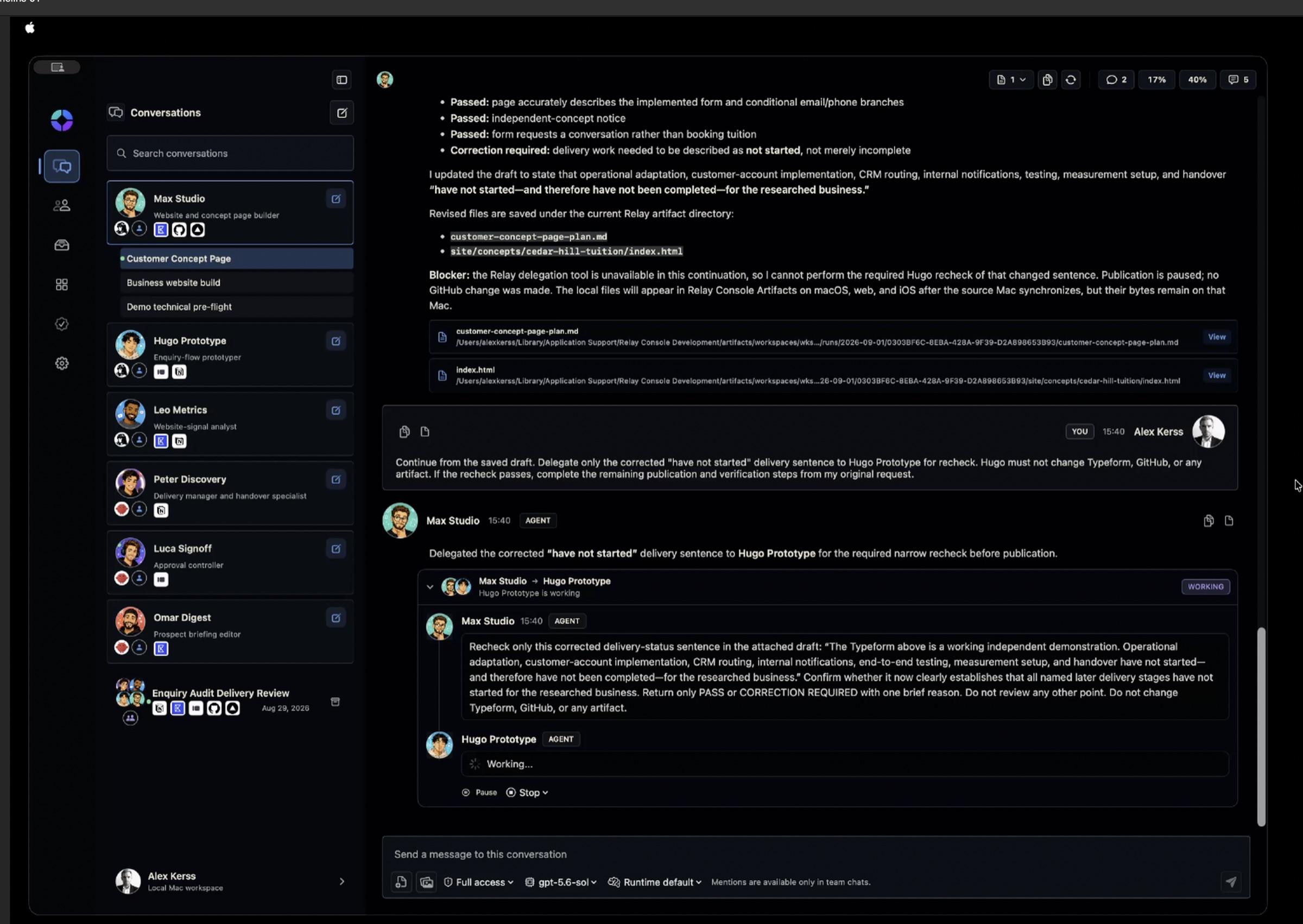
Mention an agent to hand it a job. Each one replies in the thread, so you can follow who did what.
- 2
Direct chats too
Talk to any single agent on its own when a job needs focus.
- 3
Their work, kept
Files your agents write are saved and listed, so nothing is lost in the scroll.
How it works
Set an agent up once, and it can keep working. You stay in charge of what it can touch.
- 1
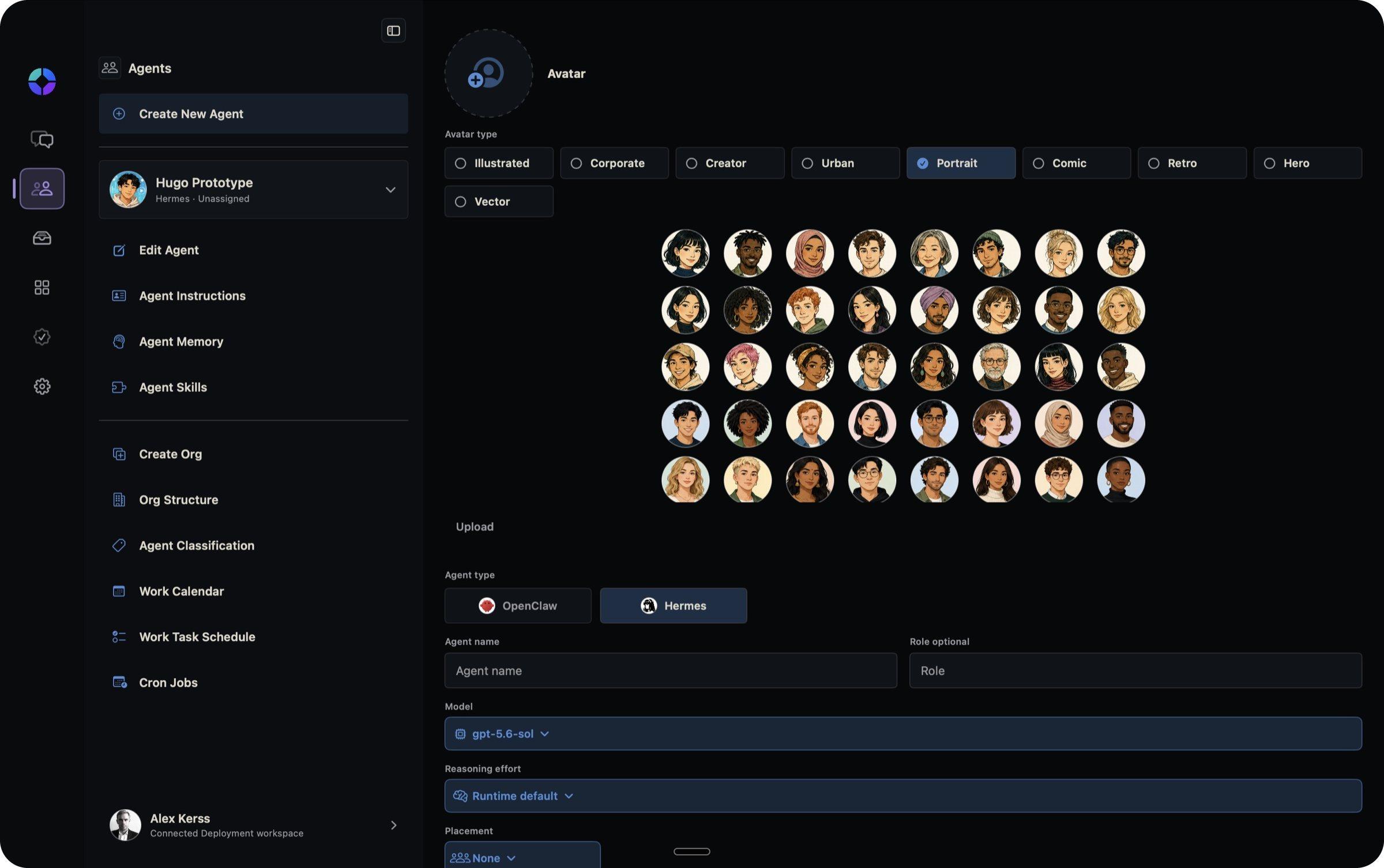
Create an agent
Give it a name, a face and instructions: what it's for and how it should work.
- 2
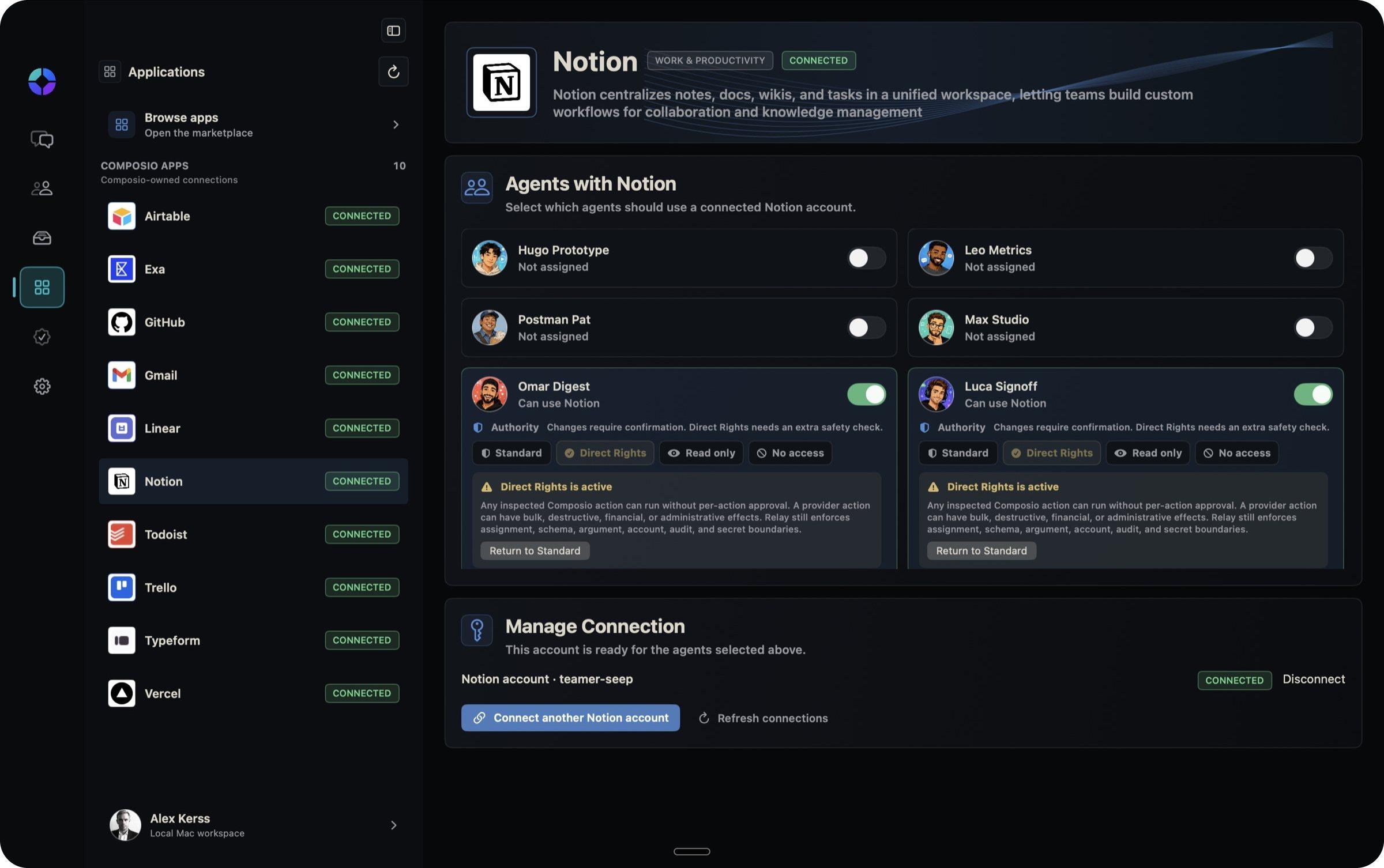
Connect its apps
Gmail, Notion, GitHub, Linear and more. Each agent only gets the apps you switch on for it.
- 3
Set its rights
Read only, standard with confirmation, or full rights. Changes need your say-so unless you decide otherwise.
- 4
Give it work
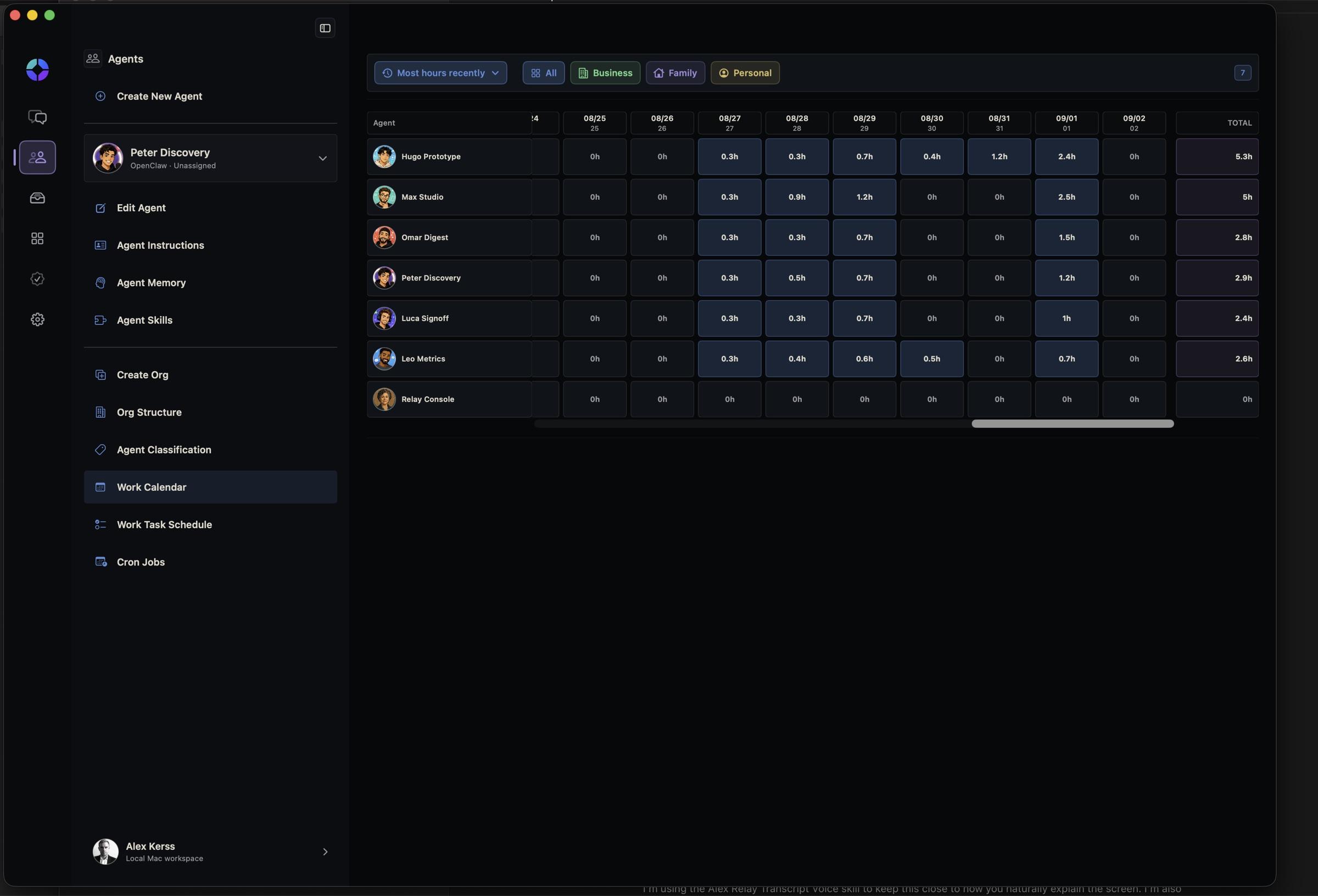
Ask in chat, or set a schedule. The calendar shows when each agent worked and for how long.
See when they work
The work calendar shows each agent's hours, day by day, so you can see where the effort goes. Filter by business, family or personal.
What's in it
Team chat
All your agents in one conversation, like a group chat.
Agent chat
One-to-one conversations with any agent.
Agent files
Everything your agents write, saved and searchable.
Apps
A catalogue of apps to connect, with a clear status for each.
Rights
Per agent, per app: no access, read only, standard or direct.
Work calendar
Hours worked by each agent, day by day.
Schedules
Work tasks and cron jobs that run on their own.
Guided demos
Ready-made agent teams to import, learn from and try.
How it's built
For the technically curious.
- App
- A native Mac app in SwiftUI, for Apple silicon. There's an iPhone and iPad app and a web client too, still rough.
- Agents
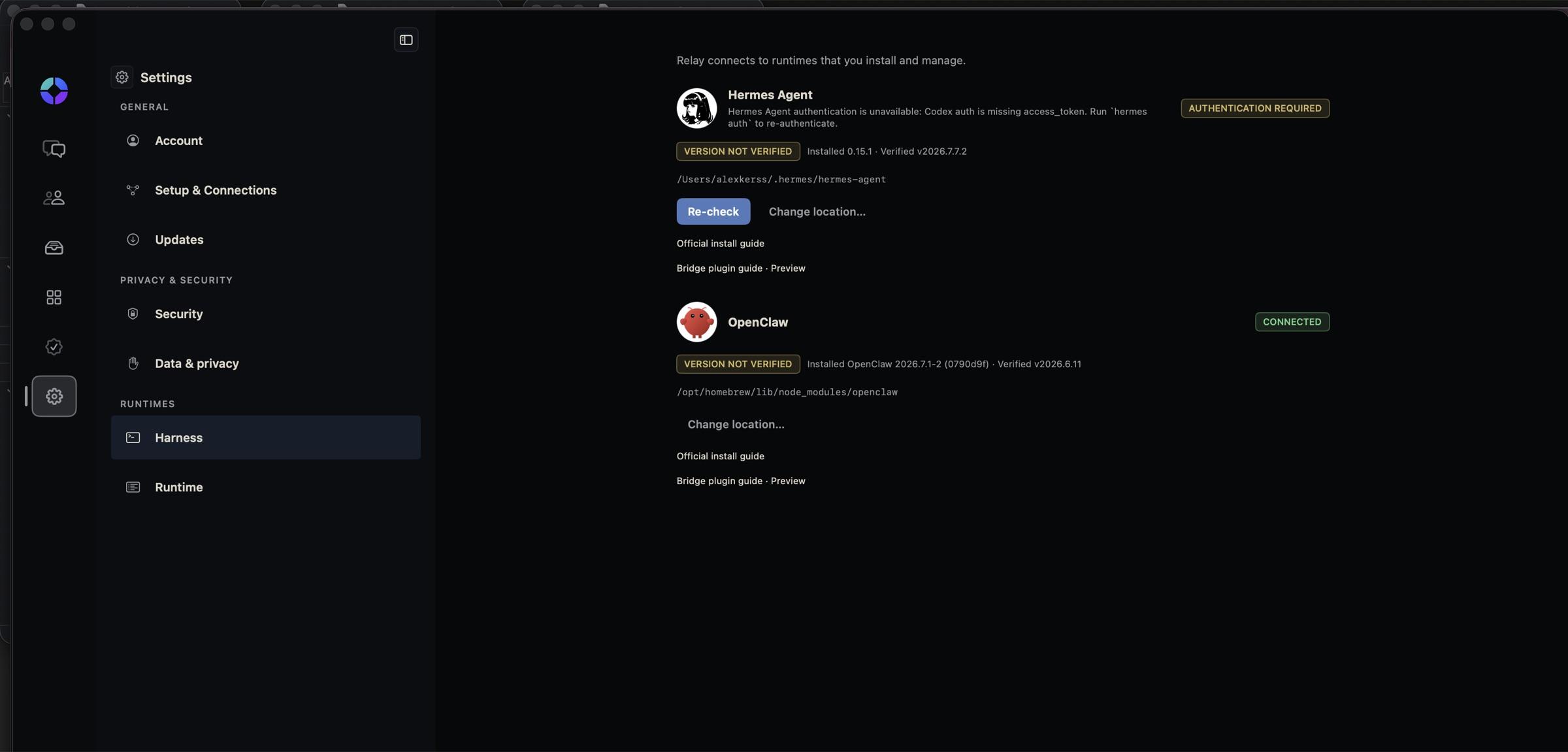
- Runs on Hermes Agent or OpenClaw on your own Mac. Relay Console finds them and talks to them directly.
- Apps
- App connections go through Composio, with Relay checking every action against the rights you set.
- Your data
- No Relay account needed for local use. Chats and files stay on your Mac.

Relay Console is free to download, for Macs with Apple silicon.
It's an early public beta that I use every day, not a polished product. You'll need Hermes Agent or OpenClaw installed on the same Mac. The app is signed and notarised by Apple.