VO Booth
A recording booth for voice-overs and talking heads.
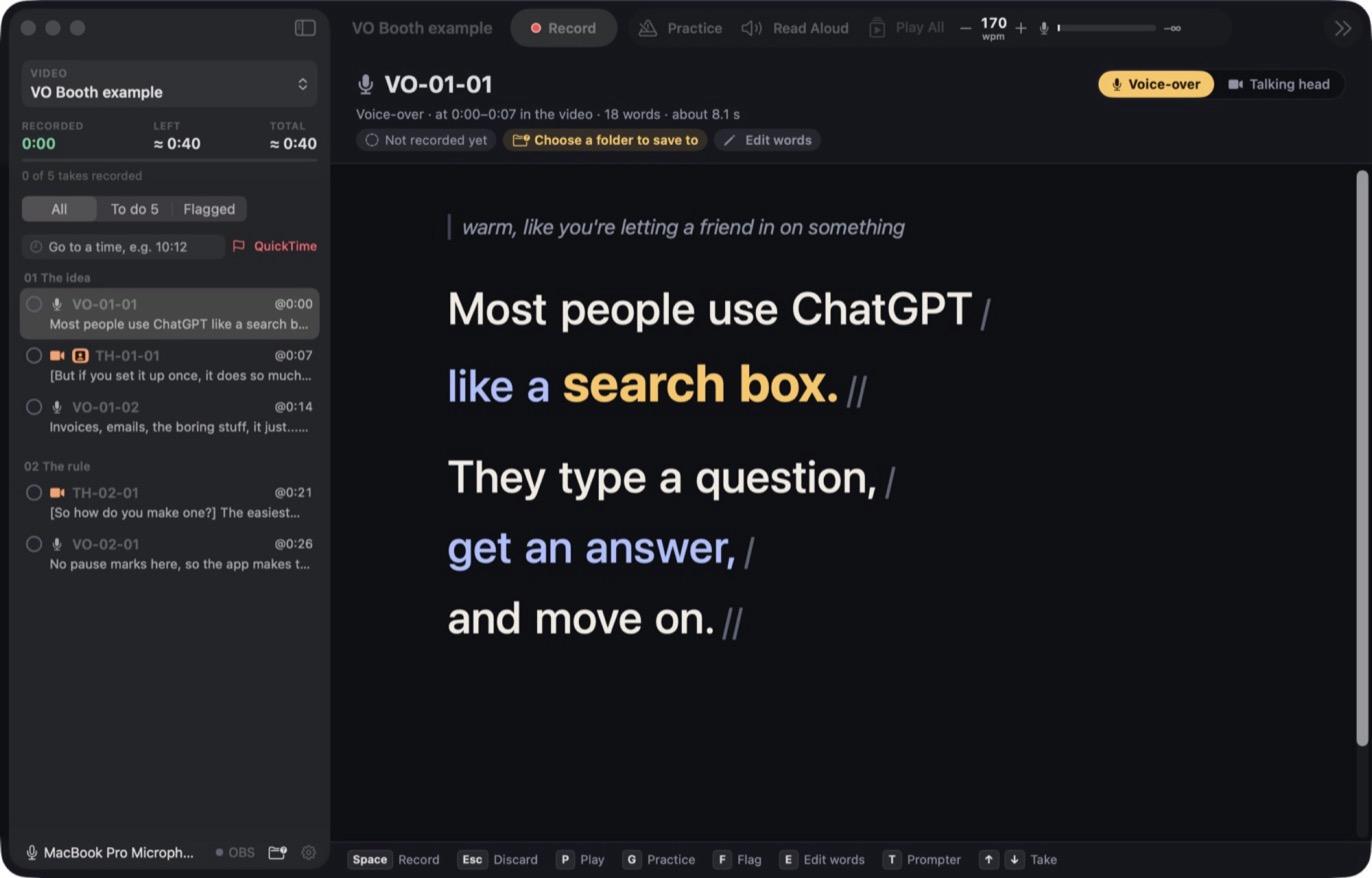
VO Booth shows you the script one take at a time, keeps you at a steady pace, and saves each take under its own name. It's how I record every video.
- Mac, Apple silicon
- macOS 15 or later
- No account needed
What it does
People who make talking or voice-over videos on a Mac, such as explainers, tutorials and courses, and record from a written script.
- Script as text
- One plain text file holds the takes, the pauses and your delivery notes.
- Pacing guide
- A ball and lit words move at the speed you set, and pauses keep their marked length.
- Follows you
- A line stays lit until you've said it. Speech recognition runs on your Mac.
- Pace cue
- SLOWER, GOOD or FASTER, based on your last ten seconds.
- Record by take
- Space records, and each file is named after its take. Earlier recordings are kept.
- Tidy pauses
- Long gaps are trimmed when a take is saved. The untouched recording is kept too.
- Teleprompter
- Full-window, with adjustable text size and width.
- Camera takes
- Starts and stops OBS recording and files each clip under the take's name.
A look inside
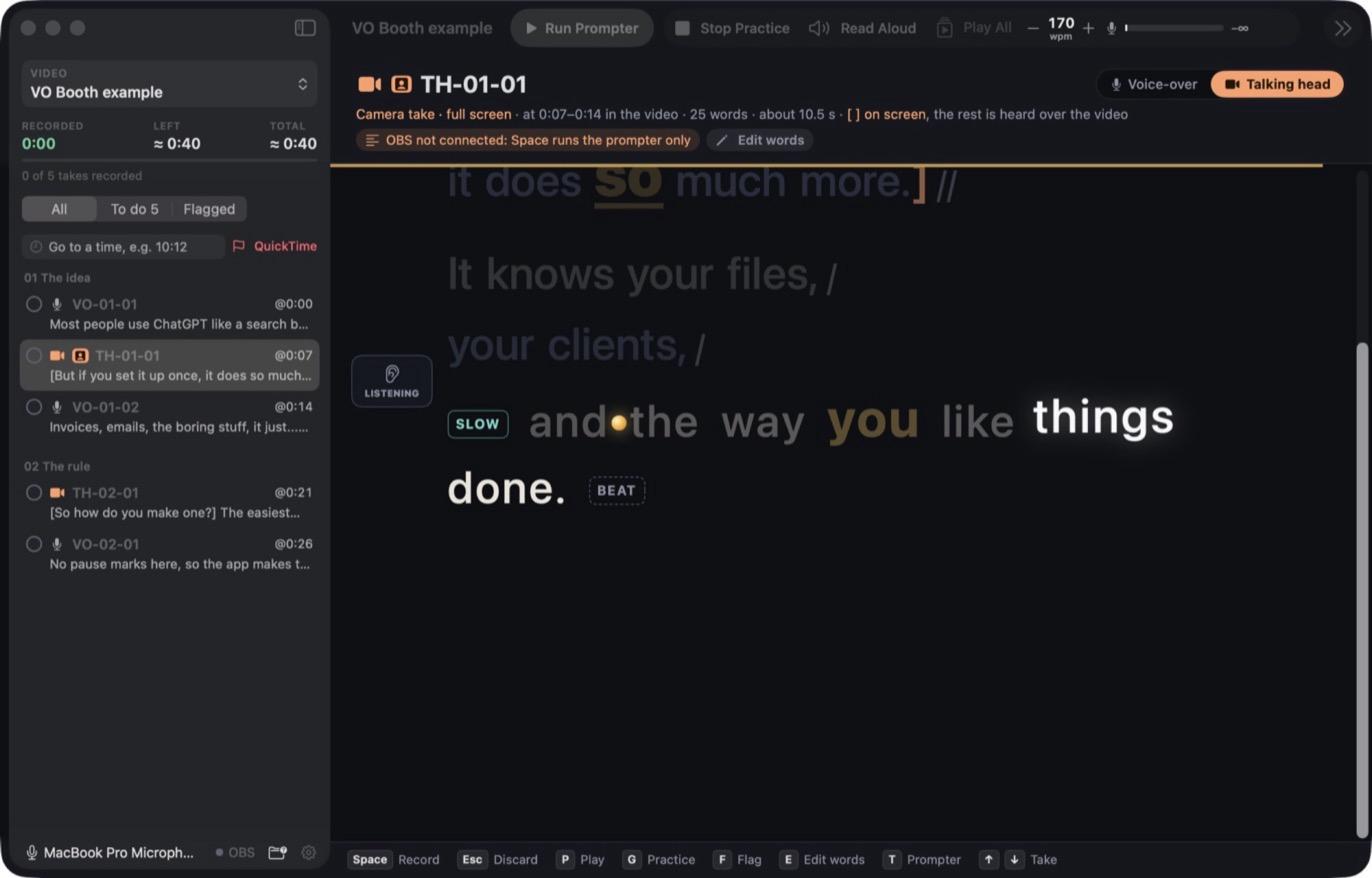
The pacing guide moving through the line
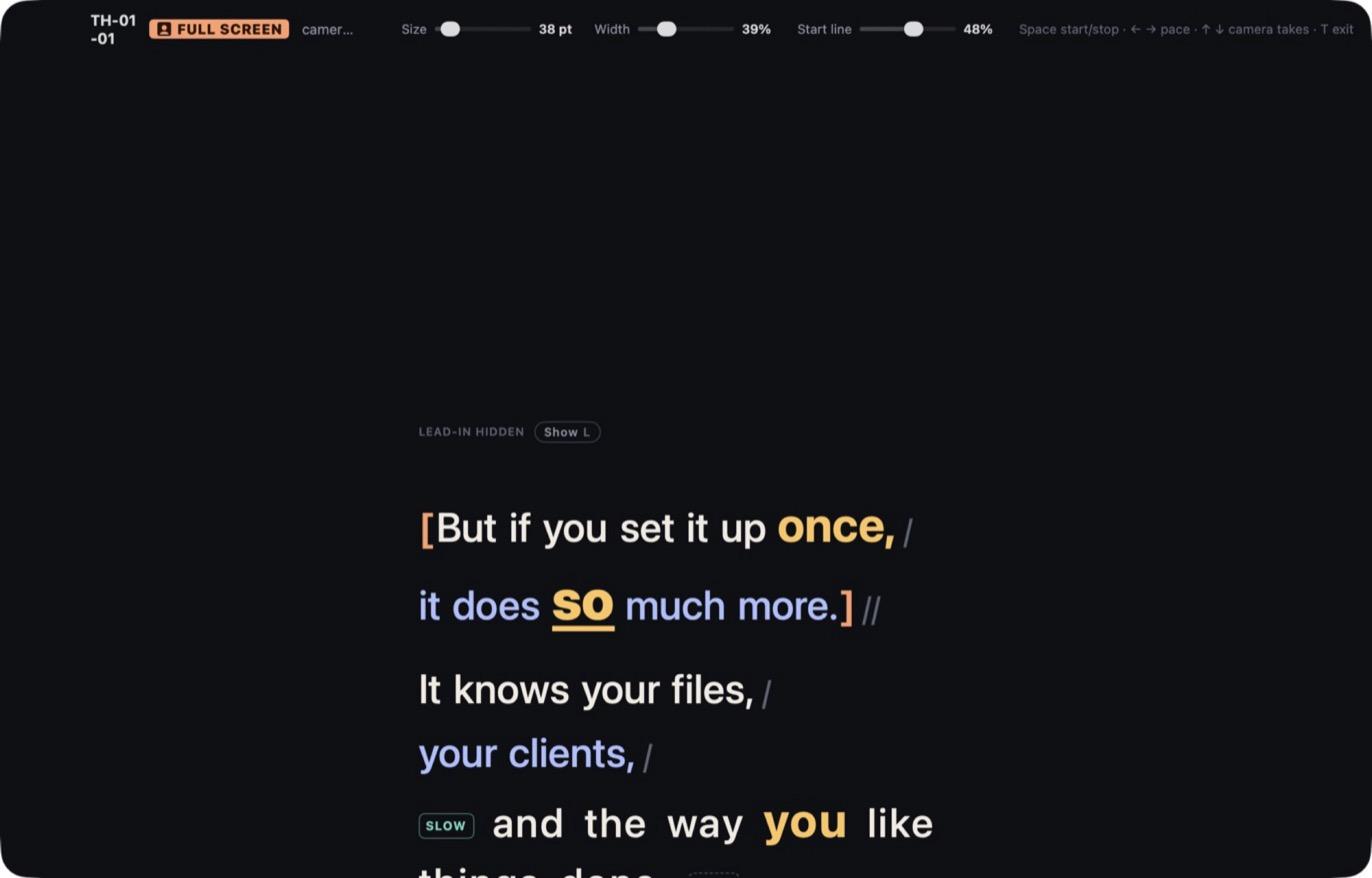
The teleprompter for camera takes
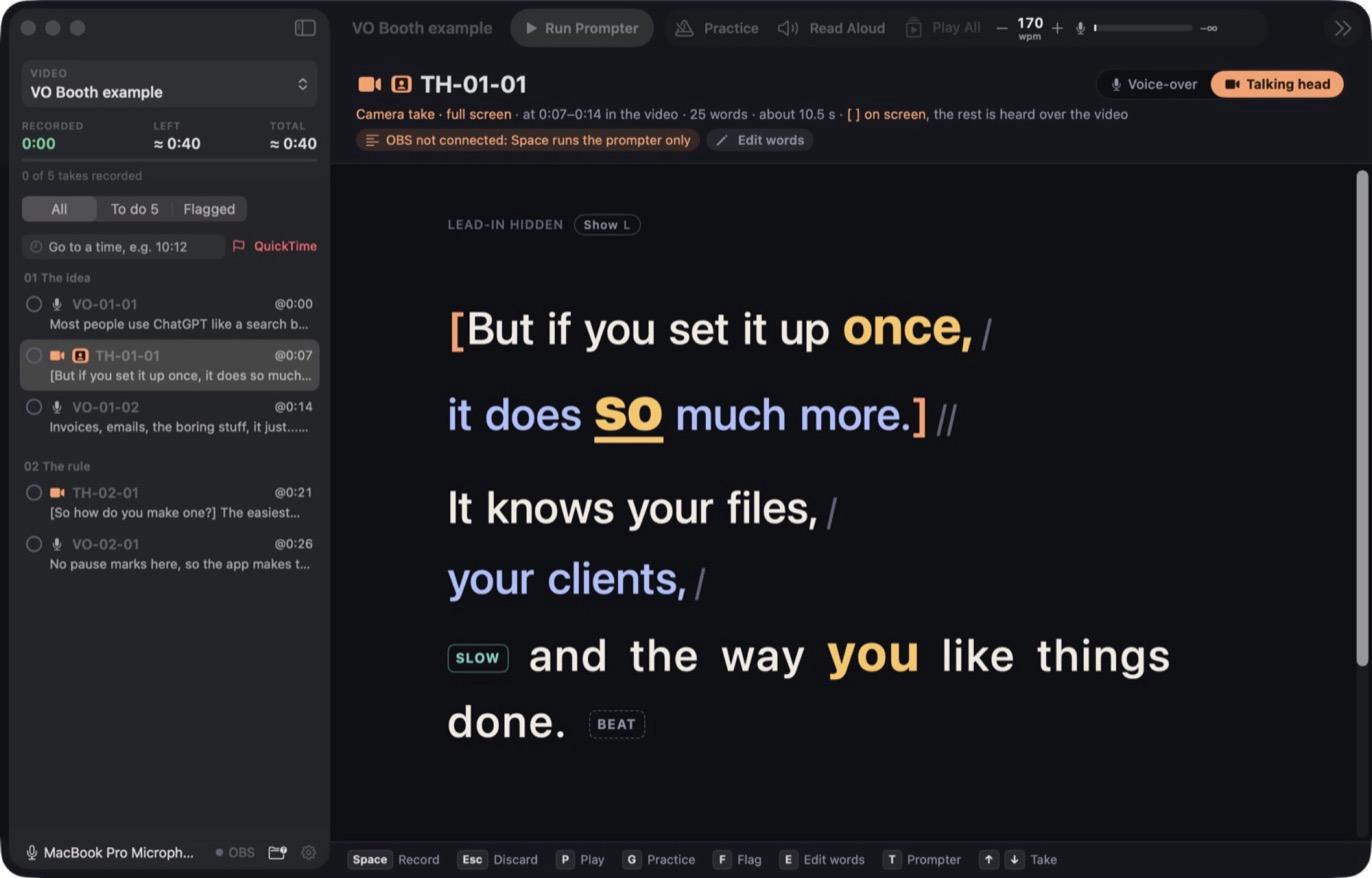
A talking-head take
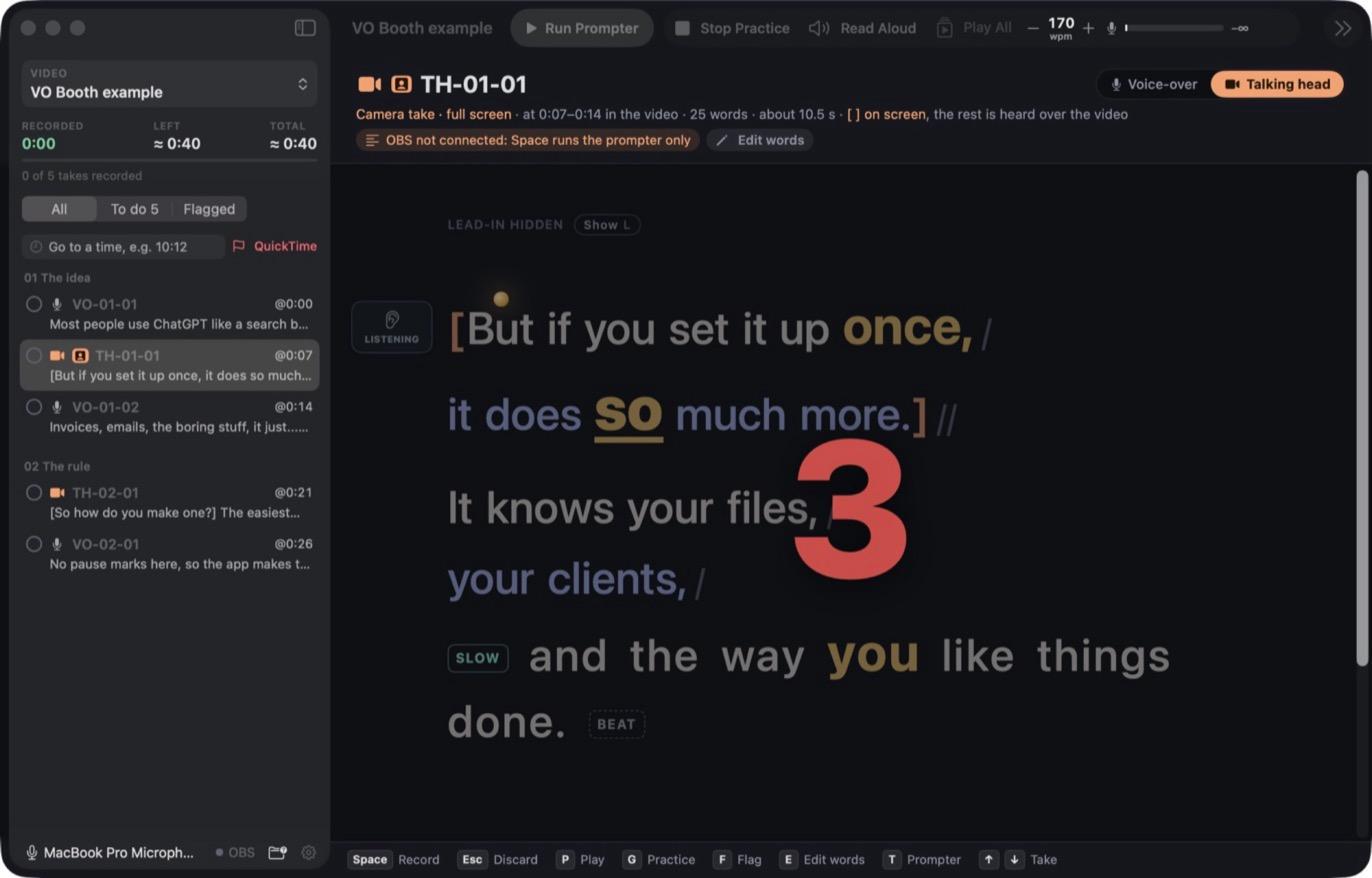
The count-in before a take
What you need
- A Mac and a mic
- That's all for the basics. No account, no subscription, no internet.
- Optional extras
- A free natural voice for read-aloud, whisper for transcripts, and OBS for camera takes.
Rough edges
This is a tool I built for myself and use every day, not a polished product.
- Apple silicon Macs only, macOS 15 or later.
- Lots of keyboard shortcuts, so it takes a little learning.
- Scripts use its own simple format. There's an example built in.
- The best extras need extra installs, some from the command line.
How it's built
For the technically curious.
- App
- Swift and SwiftUI with AppKit, as a Swift package with no outside libraries.
- Audio
- AVFoundation and Core Audio. Apple's speech recognition, on the Mac.
- Extras
- Kokoro, whisper.cpp and ffmpeg run as local helpers. Nothing goes to a server.
Not available to download yet. It needs signing by Apple first.
I'd like to share it as a free download. If you'd like to try it when it's ready, or have a question about it, get in touch.