InsightLedger
Research what's working on YouTube and TikTok.
InsightLedger saves video transcripts into a searchable library on your Mac, keeps an eye on the channels you follow, and shows which new videos are doing unusually well. Connect an AI model and it summarises videos, answers questions about them and drafts posts from them.
- Mac, Apple silicon
- macOS 14 or later
- Bring your own keys
What it does
Creators, researchers and marketers who'd rather read than watch, and want to know what's working in their niche.
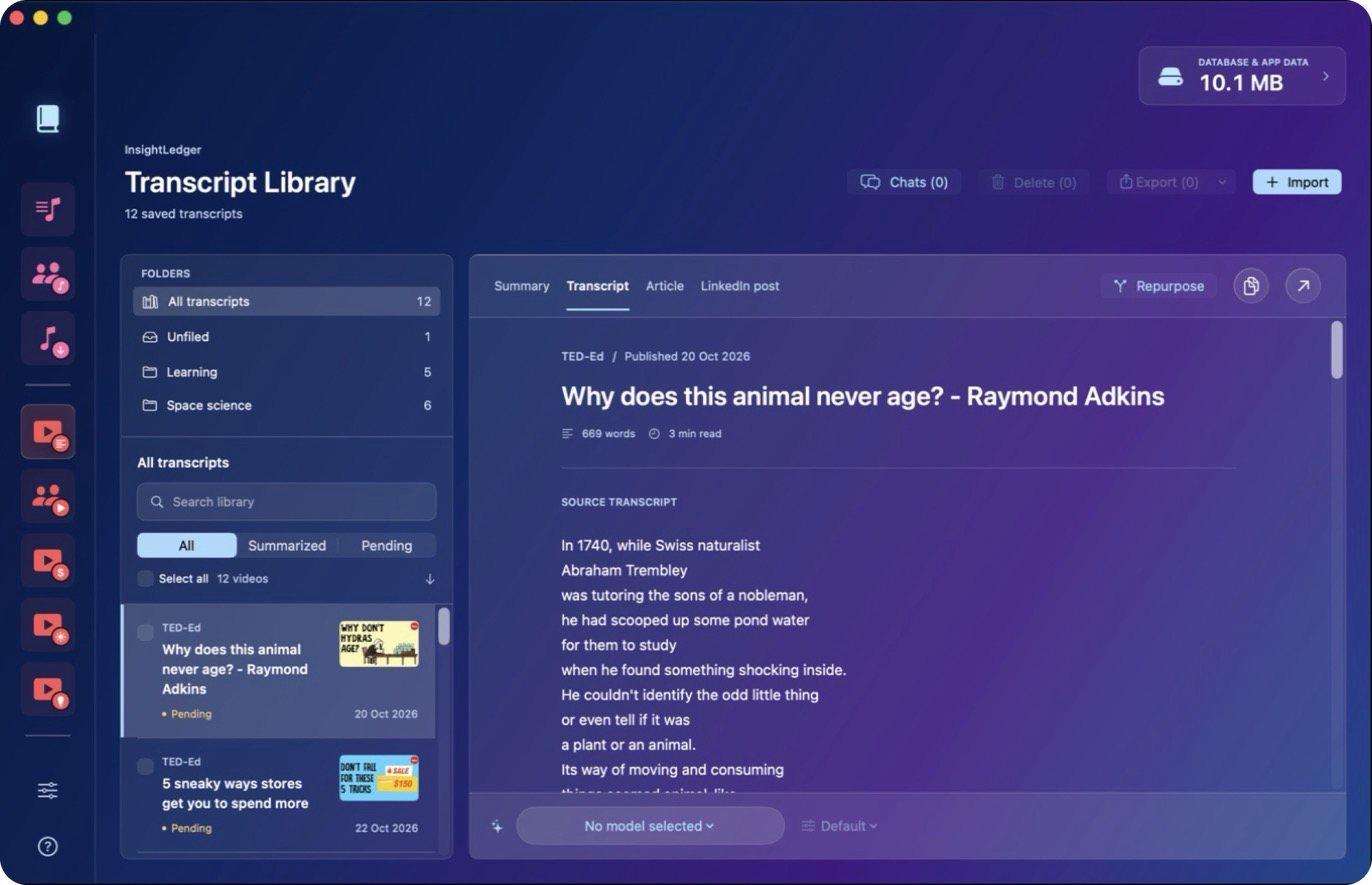
- Transcript library
- Paste YouTube links, or a channel and a number, and get clean English transcripts sorted into folders.
- Latest videos
- Every followed channel's new uploads, sorted by views per minute or by how far they beat that channel's usual video.
- Daily brief
- Twice a day, the last 24 hours of uploads from your chosen channels, ready to read or summarise.
- Topics worth watching
- Topics that beat their channels' usual views on more than one channel, with the evidence.
- TikTok
- Import public profiles. Where there are no captions, the audio is transcribed on your Mac.
- Repurpose
- Turn a transcript into a LinkedIn article draft. It's never posted for you.
- Chrome extension
- An Add button under YouTube videos saves them straight into the app.
- Export
- Save transcripts, with or without their comments, as Markdown files.
A look inside
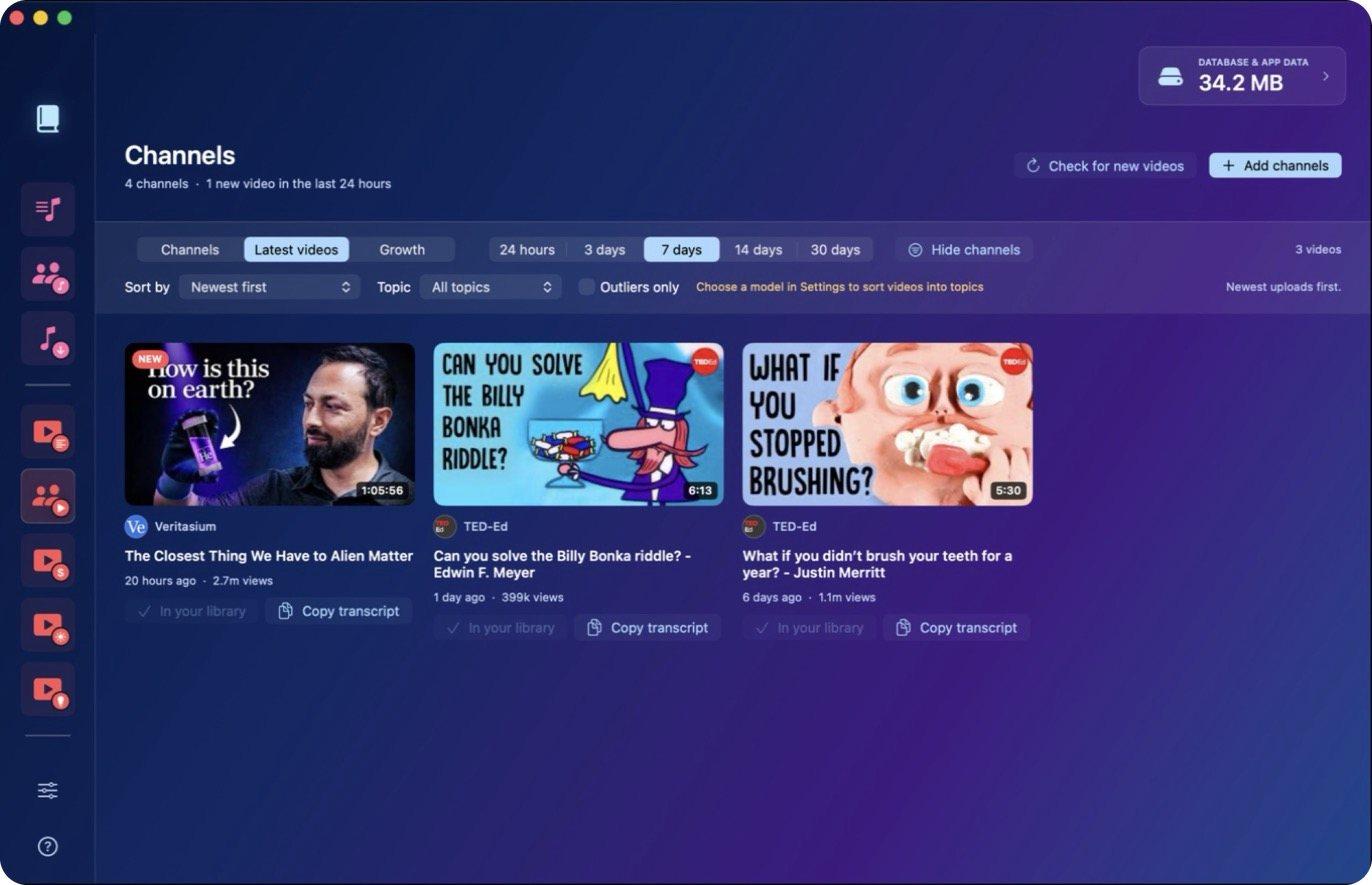
New uploads from followed channels, sorted by how well they're doing
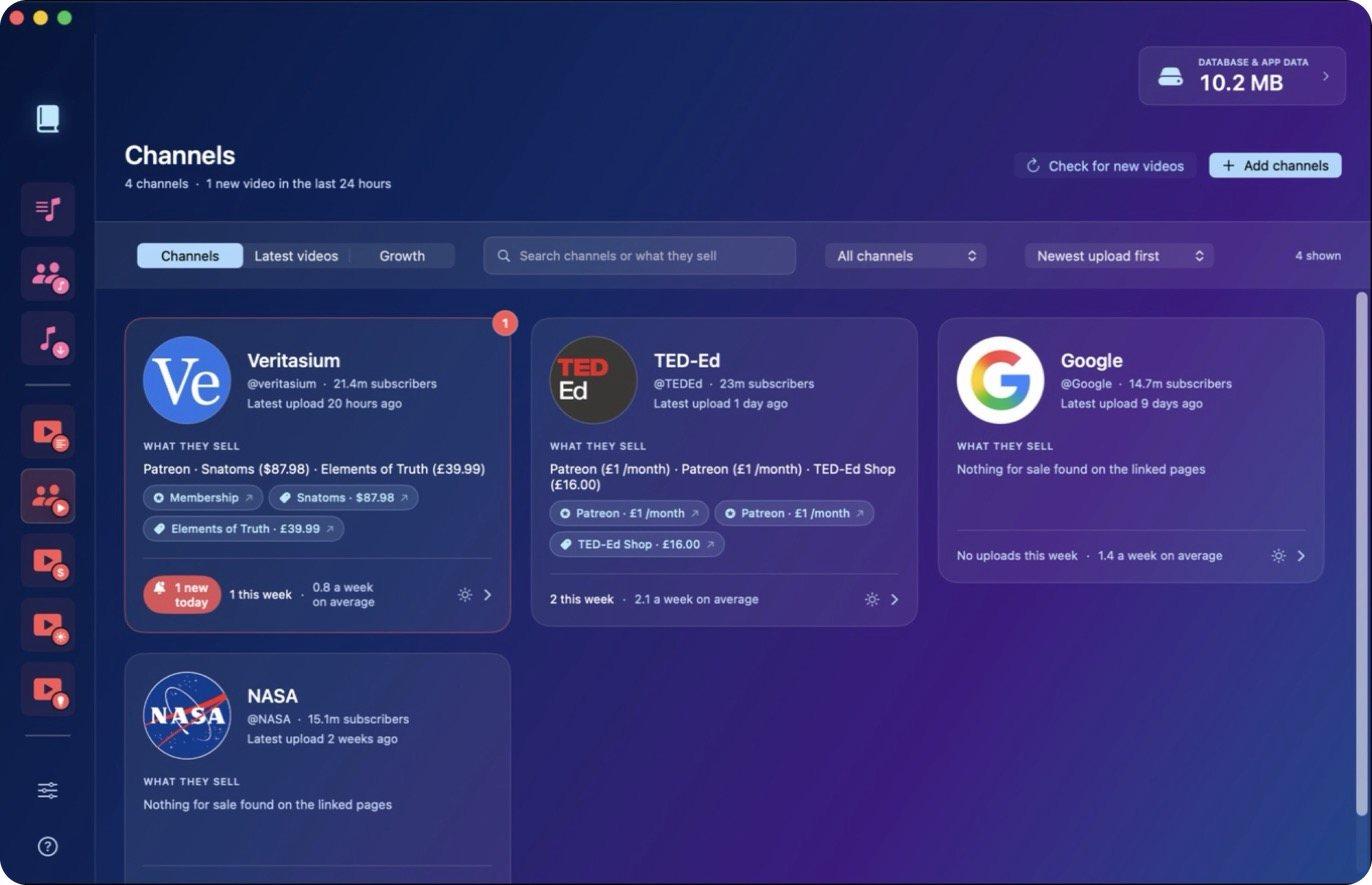
Followed channels as cards
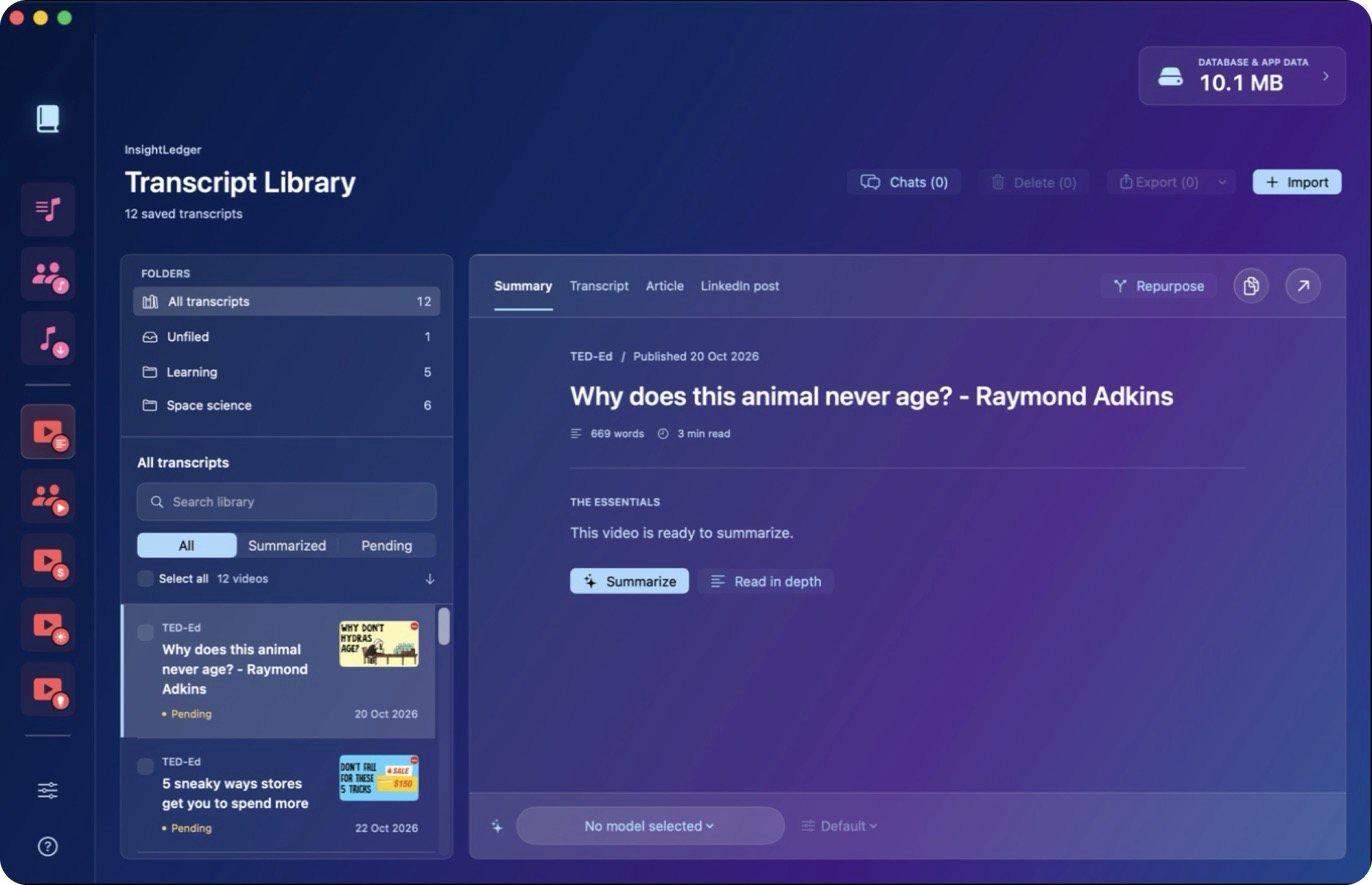
Folders and an AI summary
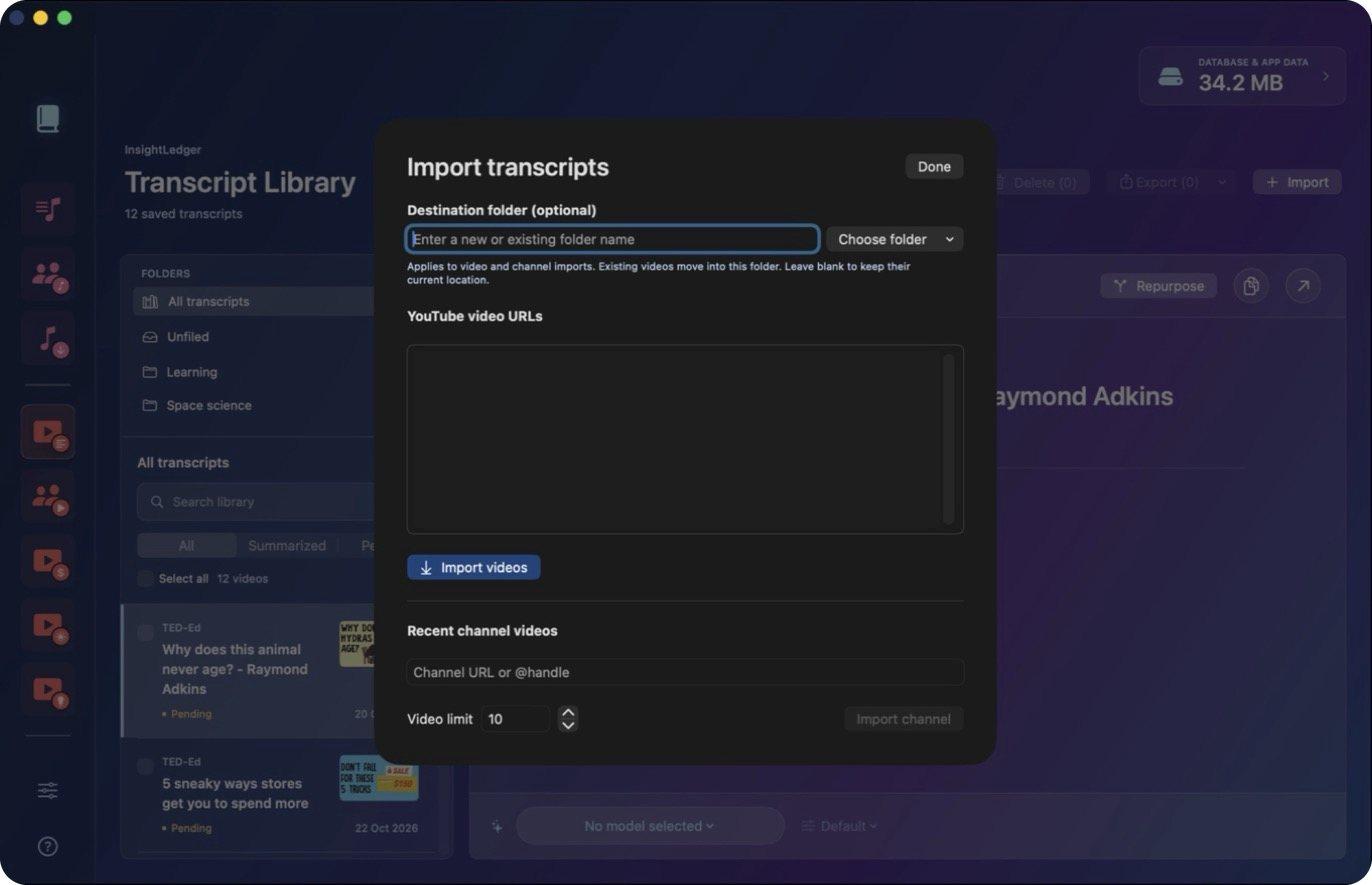
Importing transcripts from links or a whole channel
What you need
- Nothing, to start
- Transcripts, channel following and TikTok imports work with no account or key.
- AI features
- A ChatGPT subscription (sign in from Settings) or an OpenRouter API key.
- Comments and topics
- A free YouTube Data API key from Google Cloud Console.
- LinkedIn search
- An Apify API token, paid per search.
Rough edges
This is a tool I built for myself and use every day, not a polished product.
- Apple silicon Macs only, macOS 14 Sonoma or later.
- A big download, about 345 MB, because it bundles its own tools and a speech model.
- YouTube transcripts need an English caption track.
- It reads YouTube and TikTok pages the way a browser does, so a change on their side can break imports.
- Scheduled checks only run while the app is open.
- Dense screens, built around one person's workflow.
How it's built
For the technically curious.
- App
- Native SwiftUI, with a bundled Node.js helper that does the fetching and scheduling.
- Storage
- One SQLite database on your Mac. Keys go in the macOS Keychain.
- TikTok
- yt-dlp, FFmpeg and whisper.cpp, all running locally.
- AI
- Through your ChatGPT sign-in or OpenRouter.
Not available to download yet.
I'd like to share it as a free download. If you'd like to try it when it's ready, or have a question about it, get in touch.